Help
Phone and desk
What changes on a phone, and what stays the same.
TableSet on a phone
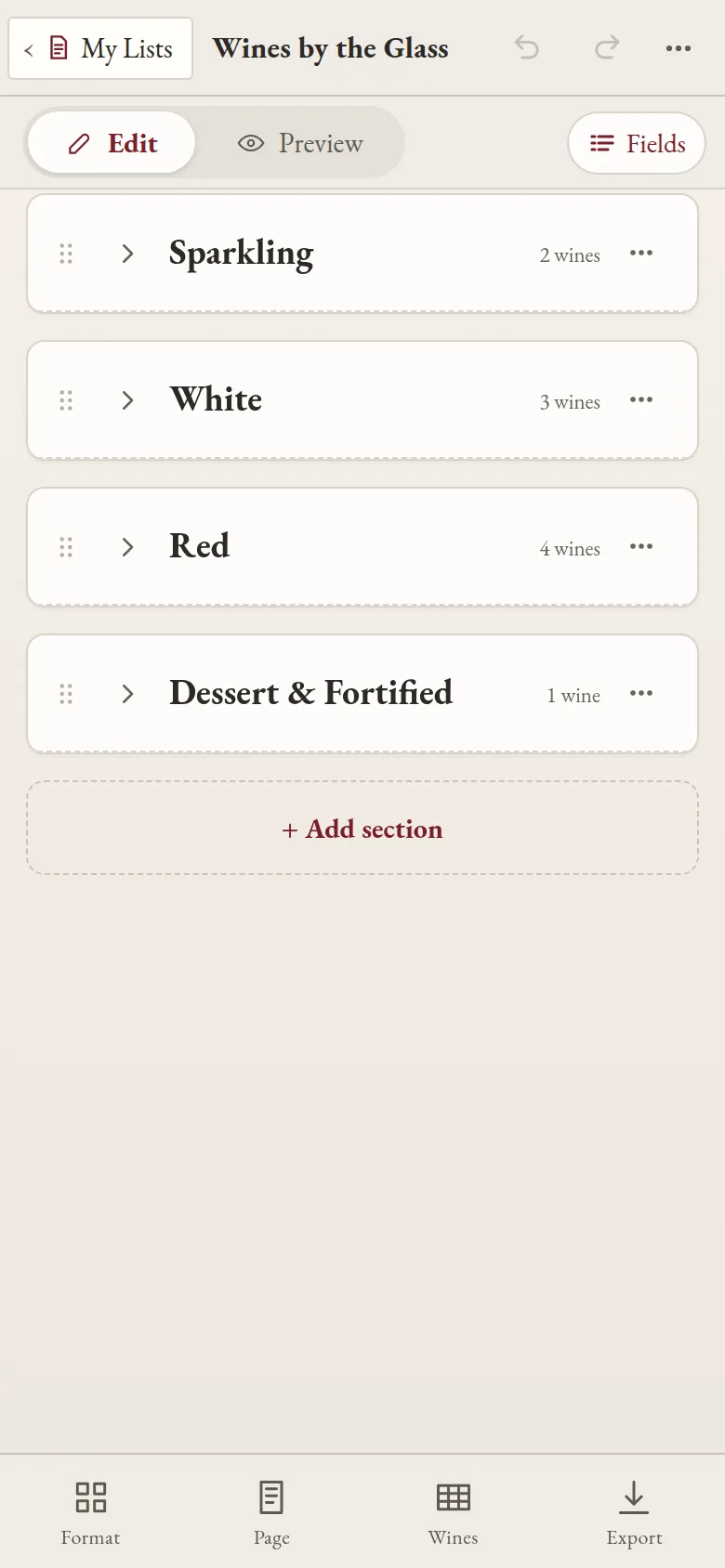
TableSet runs in the browser on a computer, a tablet or a phone; there is nothing to install. On a phone the editor becomes a stack of cards, one for each section.
- Open TableSet on the phone’s browser.
- The four buttons along the bottom are Format, Page, Wines and Export.
The picture for this is on the phone.
- Along the bottom: Format (template and fields), Page, Wines (Inventory and the Wine Library) and Export.
- ⋯ at the top right holds My Lists, Switch to the desk, Help and Settings.
What stays the same
The lists, the counts and the PDF are the same on every device. On a phone or a tablet, Switch to the desk, under ⋯, opens the desk editor.